QR Codes for Event Management: The Complete Planner's Guide
Managing an event with hundreds or thousands of attendees is a logistical challenge at every level: registration data, check-in queues, session scheduling, speaker coordination, exhibitor needs, and post-event follow-up. QR codes have quietly become one of the most powerful and cost-effective tools in the event planner's toolkit precisely because they solve problems across all of these areas at once. This guide walks through every major application—from pre-event registration to post-event lead follow-up.
Pre-Event: Registration and Promotion
1. Event Registration Landing Pages
Any printed promotional material for your event—flyers, posters, postcards, magazine ads—can include a QR code that links directly to the registration page. This removes the barrier of typing a URL manually and allows you to track which marketing channel drove the most sign-ups. A poster at a coffee shop with a QR code can convert passersby into registered attendees in seconds. Use separate QR codes for each distribution channel to track conversion rates precisely.
2. Sharing Event Wi-Fi Credentials
One of the simplest QR code applications at any event is sharing Wi-Fi. Instead of printing long, inscrutable passwords on cards at every table, a single QR code scan automatically connects your attendees to the network. This dramatically reduces requests to event staff and eliminates the frustration of mistyped passwords. Display the code prominently at entry points, in presentation materials, and on table tents.
Day-Of: Check-In and Operations
3. Frictionless QR Code Ticketing
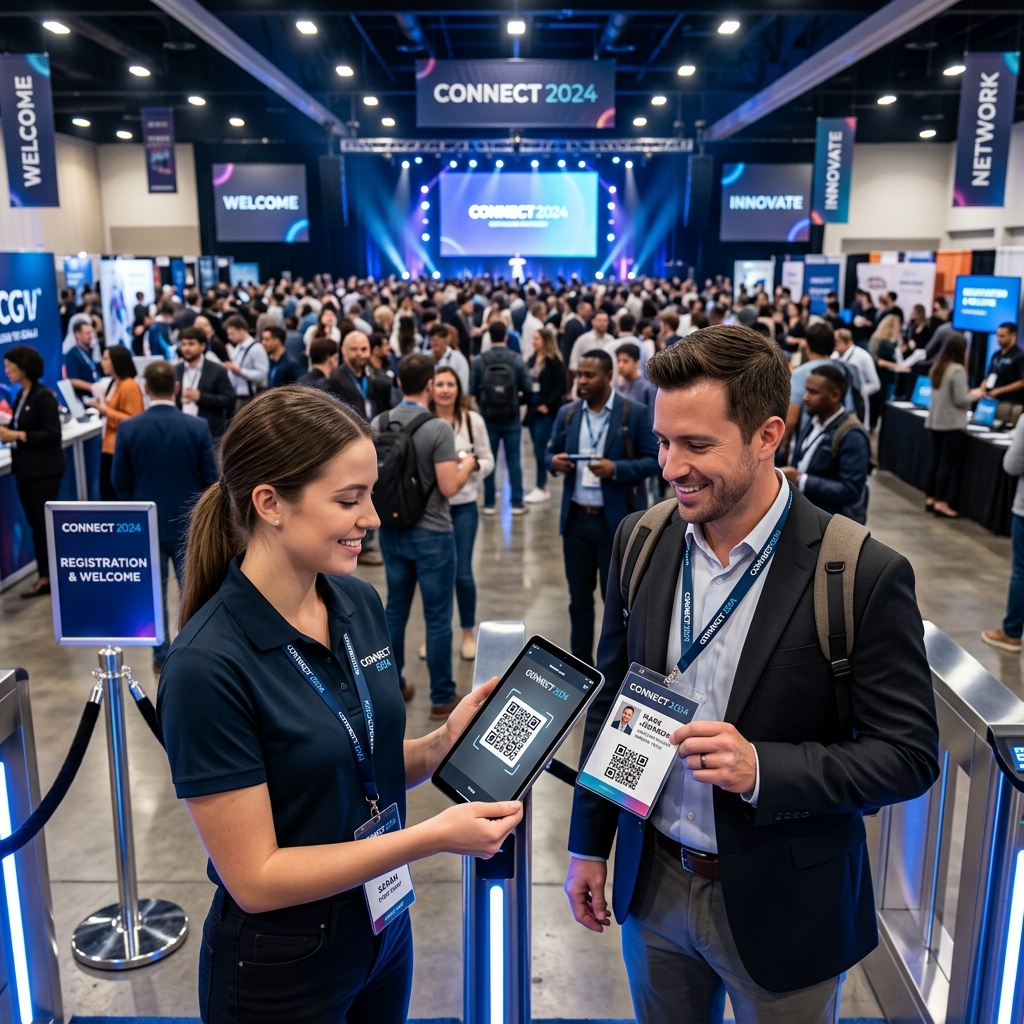
The days of printing reams of registration lists and highlighting names at the door are over. By sending registered attendees a unique QR code via email as their digital ticket, your entry staff can scan and verify attendance in under a second per person using a basic smartphone QR scanner app. This approach eliminates entry queues, prevents ticket fraud (each code is unique and invalidated upon first scan), and creates an instant digital record of who is on-site—invaluable for capacity planning and safety audits.
4. Dynamic Event Schedules
Printed programs become outdated the moment a speaker cancels or a room changes. QR codes displayed on conference lanyards, table tents, and venue signboards link to a mobile-optimized event schedule that can be updated in real time. When a keynote moves from Hall A to Hall B at the last minute, you update the online schedule and every attendee who checks the link automatically sees the change—without you needing to make an announcement or reprint anything.
5. Wayfinding and Venue Navigation
Large venues—convention centers, hotel complexes, multi-floor conference spaces—can be disorienting for first-time attendees. QR codes placed at strategic locations (entrances, elevator banks, hallway intersections) link to an interactive digital map of the venue. Attendees scan once and have a full visual guide in their pocket. This reduces the volume of "Where is Room 214?" questions directed at your staff significantly.
6. Interactive Audience Engagement
During keynote presentations, speakers can display a QR code on their presentation slides. When the audience scans it, they're taken to a real-time polling tool (like Mentimeter or Slido), a Q&A submission form, or supplementary reading materials. This transforms a passive audience into an active, engaged group and provides speakers with live data on audience comprehension and interest—making presentations more dynamic and memorable.
Trade Shows and Exhibitions: Lead Capture
7. Digital Lead Retrieval for Exhibitors
At trade shows, collecting business cards is an archaic, error-prone process. Modern events build QR codes into attendee badges that link to each person's contact information. Rather than scanning a stack of business cards later (or losing them entirely in a jacket pocket), exhibitors simply scan the badge QR code with their phone, and the contact details are automatically saved to their CRM or a simple spreadsheet. This gives exhibitors qualified, accurate leads in real time with zero data entry.
8. Product Demo and Catalog Access
Exhibitor booths can replace heavy paper catalogs with a QR code that links to a digital product catalog, a video demonstration, or an interactive product configurator. This not only saves thousands in printing costs but creates a far richer experience—a visitor can watch a 60-second product demo video, browse specifications, and email themselves a brochure, all while still standing at the booth.
Post-Event: Follow-Up and Feedback
Branded Event Codes
Organizers use our custom generator to match event branding. Whether it's a tech conference needing high-contrast minimalist codes or a music festival opting for vibrant, artistic halftone styles, the QR code becomes an extension of the event's visual identity rather than a technical distraction.
9. Post-Event Surveys
Gather feedback while the experience is still fresh by displaying a QR code survey link on the event's closing presentation slide. Attendees can complete the survey in under two minutes on their phones rather than filling out paper forms at the exit. Response rates for QR code-based surveys are consistently higher than email surveys sent days after the event, because the moment of engagement is immediate and the motivation is highest right as the event concludes.
10. Post-Event Content Distribution
Include a QR code in your post-event email, thank-you cards, or on name badge inserts that links to a resource page with session recordings, speaker slide decks, and exclusive content for attendees. This extends the value of the event experience beyond the day itself, keeps attendees engaged with your brand in the weeks that follow, and provides a compelling reason to register for next year's event.
Key Implementation Tips
- Ensure Venue Wi-Fi Reliability: Many QR code applications at events require internet access. Ensure your venue has robust connectivity, or verify that your check-in app works in offline mode and syncs once a connection is restored.
- Size for the Environment: A QR code displayed on a projector screen during a keynote needs to be massive—covering at least one-third of the screen—so that attendees in the back can scan it. Test at the actual venue dimensions before the event.
- Use Dynamic Codes for High-Value Placements: For codes printed on lanyards, signage, or badges, use dynamic QR codes so you can update where they point if plans change at the last minute without reprinting all materials.
- Brand Your Codes: Event QR codes should match your event's branding—same color palette, same logo. A custom-styled code reinforces credibility and looks intentional rather than like an afterthought.
- Always Label With Context: "Scan to check in," "Scan for today's schedule," or "Scan to submit your question" are essential labels. A bare QR code without instruction creates friction and reduces scan rates significantly.
Create Custom Event QR Codes for Free
Generate branded, high-quality QR codes for your event's registration pages, schedule links, and survey forms—no account needed, 100% free.
Start Generating →