QR Codes for vCard Plus: The Modern Digital Business Card Guide
In professional networking, the business card has been the standard currency of connection for over a century. But the paper card has a fundamental weakness: it goes out of date. A job change, a new phone number, a rebranded email domain—and suddenly the hundreds of cards you printed are wrong. The QR code-powered digital business card, particularly the "vCard Plus" model, solves this problem elegantly. It's a living, updatable professional profile that fits on the back of any printed card, badge, or even your phone's lock screen wallpaper.
Standard vCard vs. vCard Plus: What's the Difference?
The Problem with Standard vCards
A standard vCard QR code works by encoding your raw contact data—name, phone number, email, company, address—directly into the QR code pattern itself using the .vcf file format. When someone scans the code, their phone parses that data and prompts them to save a new contact. It's functional, but it has critical limitations:
- It's permanent and static. If your phone number changes, your job title changes, or you move to a new company, that QR code is permanently wrong. Every card you've ever printed or shared is obsolete.
- It produces dense, hard-to-scan codes. Raw text vCards contain a lot of characters. More data = more complex QR patterns = slower, less reliable scanning, especially with older phone cameras.
- It's limited in richness. A .vcf file can hold a name, phone, and email. It cannot hold your headshot, your LinkedIn URL, your portfolio, a video introduction, or a blog post you want people to read.
- There are no analytics. You have no way of knowing whether people scanned your code, when they did, or how many times.
The vCard Plus Solution
A vCard Plus flips the model. Instead of embedding data directly into the QR code, the code stores a single, clean URL—a link to a mobile-optimized digital profile landing page that you control. When someone scans the code, they're taken to a beautifully designed page that showcases your full professional identity. That page can contain everything a standard vCard cannot: your headshot, company logo, bio, links to all your social profiles, a portfolio, a video, and a prominent "Save to Contacts" button that triggers a .vcf download when tapped.
The QR code itself stores nothing but a short URL. This means it's always clean, small, fast to scan—and completely future-proof. Change jobs? Update the landing page. New phone number? Update the landing page. The physical QR code printed on your cards never needs to change.
Why vCard Plus is Superior for Every Professional
- Everlasting accuracy: Your professional details are always current. Promote your card everywhere with confidence—even QR codes on old materials will always point to the latest version of you.
- Rich multimedia content: Include a professional headshot, a 30-second video introduction, your portfolio, testimonials, and links to any platform you're active on. No traditional vCard supports this.
- Analytics and insights: Understand who is actually scanning your card, from which city, on which device, and what actions they take afterward. This data is invisible to a standard paper card.
- Superior scanning reliability: Because the QR code stores only a short URL, the code is significantly less dense than a full vCard. This means faster, more reliable scans on every device—critical when you're networking at speed in a busy conference environment.
- Professional first impression: Handing someone a card and watching them scan a beautifully designed digital profile is a premium experience. It signals you are current, tech-savvy, and intentional about how you present yourself professionally.
How to Build Your vCard Plus in 4 Steps
Step 1: Build Your Digital Profile Page
Create a mobile-optimized landing page for your professional identity. You can use a personal website, a Linktree or similar link-in-bio tool, a LinkedIn profile (set to public), a Notion page, or a simple one-page HTML site hosted on GitHub Pages. The key is that it must be mobile-first—this page will primarily be viewed on smartphones immediately after a scan.
Step 2: Include a "Save to Contacts" Button
Your digital profile page should include a prominent button that allows visitors to download your contact information in .vcf format with a single tap. This bridges the gap between your rich digital profile and the practical need for people to have your number saved in their phone's address book. A connection without a saved contact is a connection that tends to fade.
Step 3: Generate a Clean, Branded QR Code
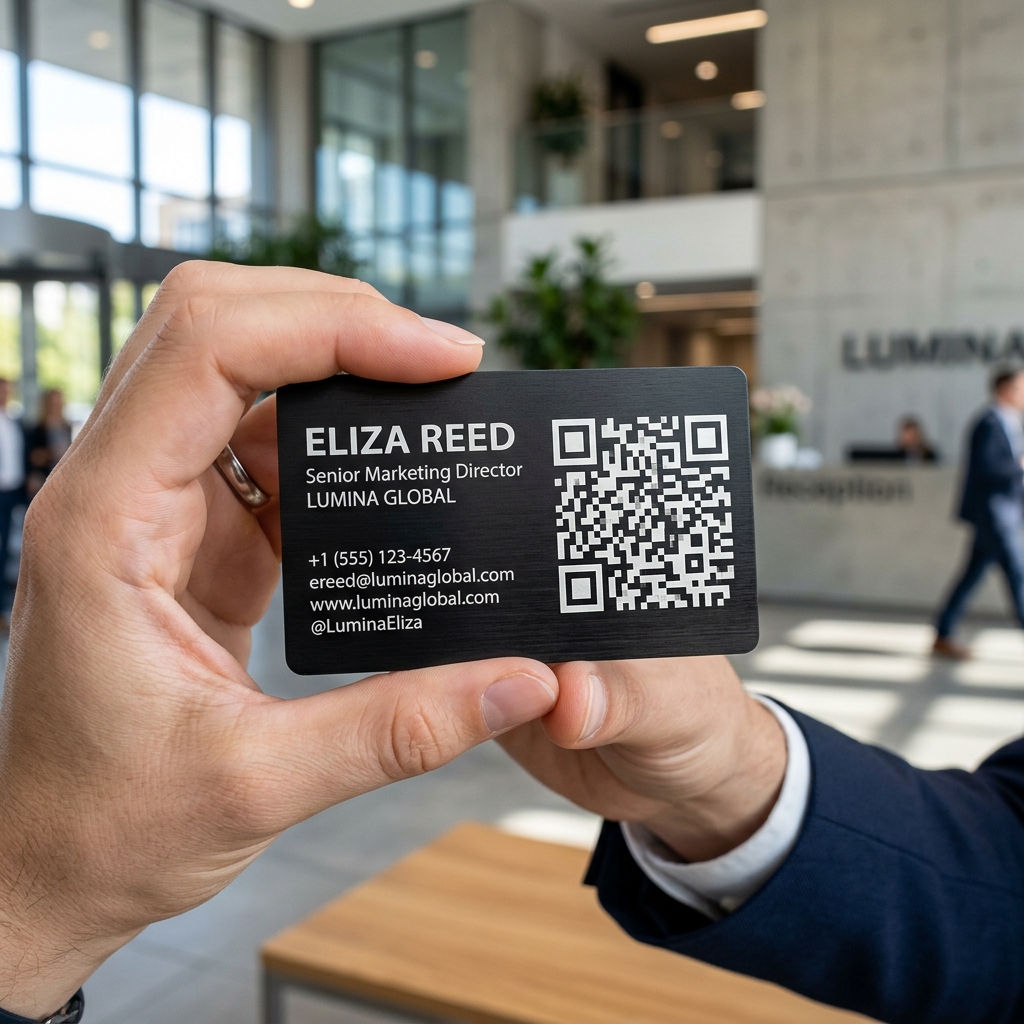
Paste the URL of your digital profile page into our free QR generator. Choose a color scheme that matches your personal brand, select an elegant dot style, and embed your headshot or logo in the center of the code. The result is a scannable, visually distinctive code that is uniquely yours—not a generic black square. A customized code reinforces your brand identity even before the page loads.
Step 4: Deploy Everywhere
Once you have your QR code, the deployment options are vast. Print it on the back of your business cards. Add it to your email signature as a small image. Use it as your phone's lock screen wallpaper so anyone can scan it instantly. Add it to your resume or CV. Include it in your LinkedIn "Featured" section. Place it on event name badges, presentation slides, or even a small sticker on your laptop.
Design Tips for a Standout vCard QR Code
- Match your brand colors: Use the primary and accent colors from your personal brand or company palette. A code that visually matches your card design looks intentional and premium.
- Embed your logo or headshot: Our generator allows you to place an image in the center of the QR code. A professional headshot in the center of your contact QR is memorable and creates an immediate personal connection.
- Use rounded dot styles: Rounded or "classy" dot styles feel more modern and professional than the default sharp-edged squares. Experiment with different styles to find what matches your brand's personality.
- Maintain contrast: Whatever colors you choose, ensure there is sufficient contrast between the code's foreground and background. Light gray on white, or pastel on pastel, will not scan reliably. Always test your final design before printing.
Build Your Branded vCard QR Code for Free
Paste your digital profile URL into our generator, customize the colors and dot style, embed your headshot, and download a print-ready QR code—entirely free, no account needed.
Create Your vCard QR Code →