QR Codes in Education: A Teacher's Complete Guide
With tablets and Chromebooks becoming standard in classrooms worldwide, teachers are finding creative ways to bridge physical worksheets with digital resources using QR codes. They eliminate the friction of typing long URLs, saving precious classroom time and keeping students focused. This guide covers more than a dozen practical, classroom-tested applications that educators at every grade level can implement immediately—for free.
Engaging Scavenger Hunts & Gamification
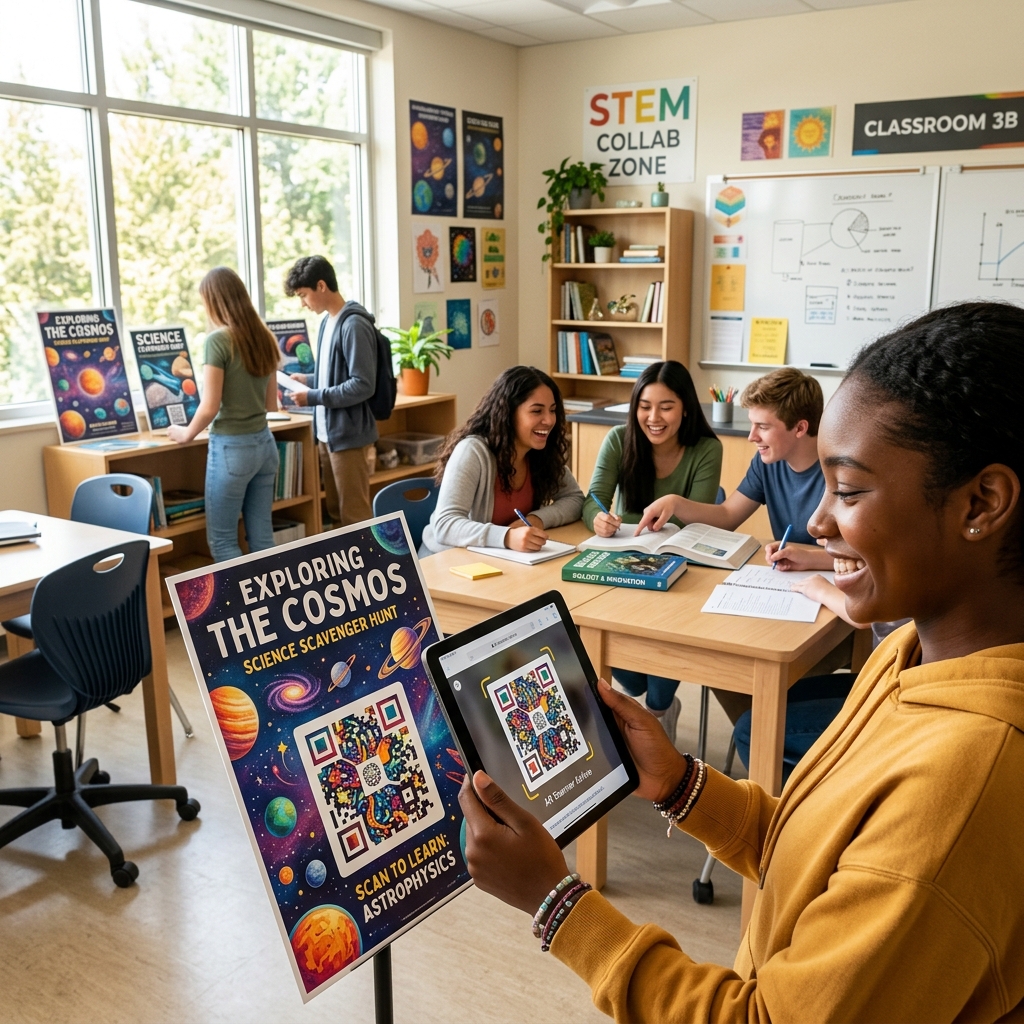
Educators can use our halftone and artistic modes to create visually engaging QR codes that students find approachable rather than technical. Gamified learning, such as library scavenger hunts or hidden clues in history projects, benefits from codes that look integrated into the learning environment.
Why QR Codes Work so Well in Education
The fundamental advantage of a QR code in a classroom setting is that it bridges the physical and digital worlds in a single, frictionless step. A student picking up a printed worksheet can instantly access a video, a quiz, a Google Form, or a website simply by pointing their camera at the page. Compare this to the old approach: writing a URL on the board, students copying it letter-by-letter, typos causing confusion, and five minutes of class time vanishing. QR codes solve all of that.
Furthermore, QR codes are democratizing: a student with a school-issued Chromebook or an older Android phone can access the same digital resource as a student with the latest smartphone. The barrier to entry is essentially zero, making them an ideal tool for equitable learning environments.
10 Practical Classroom Applications
1. Multimedia-Enhanced Worksheets
A standard math or history worksheet can be transformed by embedding a QR code. When a student is stuck on a problem, they scan the code to watch a short tutorial video. For history, it might link to an interactive timeline or an audio recording of a primary source document. This approach gives struggling students a lifeline without requiring the teacher to stop the entire class.
2. "QR Quests" and Scavenger Hunts
Gamify learning by creating QR code scavenger hunts around the classroom or school building. Each code holds a clue, a question, or a link to a form that must be filled out. This gets students moving, encourages collaboration, and builds active recall—one of the most evidence-backed learning strategies in educational psychology. You can run these hunts for vocabulary review, spelling practice, science concept reinforcement, or even school-wide orientation for new students.
3. Audio Reading Support for Young Learners
For younger students or English Language Learners (ELL), place QR codes on physical books in the classroom library. Scanning the code links to an audio recording of the teacher reading the book aloud, allowing the student to follow along independently. This technique is especially valuable for after-school reading programs or homework assignments where parental language support may be limited.
4. Streamlining Parent-Teacher Communication
Instead of printing multi-page school newsletters that get lost in backpacks, schools can send home a single sheet with a QR code linking to the digital newsletter, school calendar, or permission slip forms. A QR code on the classroom door during Open House night can link parents directly to a volunteer sign-up sheet or a classroom supply wishlist, dramatically increasing parental engagement without adding to the teacher's workload.
5. Self-Grading Quiz Stations
Set up quiz stations around the room where students complete a short problem, then scan a QR code to reveal the answer or a short explanation video. This creates an immediate feedback loop—a cornerstone of effective learning—without requiring the teacher to grade 30 papers. Students who answer incorrectly can see where their reasoning went wrong in real time, correcting misconceptions before they become entrenched.
6. Virtual Museum Tours and Field Trips
Budget constraints often prevent physical field trips. QR codes printed on a classroom "exhibit" of student-created posters can link to virtual museum tours, documentary clips, or 360-degree photo galleries. This allows students to experience the Smithsonian, the Louvre, or a local historical site without leaving the building, making high-quality experiential learning accessible regardless of district funding.
7. Student Portfolio Showcases
Students can print a QR code linking to their digital portfolio—a Google Site, Seesaw portfolio, or a video presentation—and attach it to a physical project. At science fairs or art shows, visitors scan the code to see the student's research process, drafts, and reflections. This gives context and depth to any physical display and teaches students valuable skills in digital presentation.
8. Differentiated Learning Paths
Create three different QR codes on the same worksheet that link to the same concept explained at beginner, intermediate, and advanced levels. Students self-select or are assigned the appropriate code by the teacher. This allows a single lesson plan to serve a diverse range of learning needs simultaneously—a breakthrough for inclusion classrooms where students have widely varying abilities and prior knowledge.
9. Library Catalog and Book Recommendations
Place QR codes on library shelves next to genre sections that link to curated reading lists, Goodreads pages, or teacher-made "Book Trailer" videos. A QR code on the checkout desk could link to a simple Google Form where students submit their reading log entries. School librarians have reported that QR-enhanced library experiences significantly increase voluntary reading time among middle school students.
10. Exit Ticket Surveys
At the end of each lesson, display or hand out a QR code that links to a 2-question Google Form: "What did you learn today?" and "What are you still confused about?" Students answer in 60 seconds on their devices. The teacher has actionable data about the class's collective understanding before the next day's lesson begins—allowing for far more targeted and responsive instruction than traditional end-of-unit testing.
Best Practices for Teachers Using QR Codes
- Always Test First: Verify every QR code works on the school's specific devices and network. School firewalls and content filters sometimes block destination sites. Test on the same device type students will use.
- Keep URLs Short: Link to clean, short URLs. Long URLs create denser QR codes that can be harder to scan with older device cameras. Use a URL shortener whenever possible.
- Print at Adequate Size: QR codes should be at least 1 inch × 1 inch when printed. Smaller codes become difficult to scan accurately, especially for students with lower-quality cameras.
- Link to Privacy-Safe Platforms: Especially for students under 13, ensure destination sites comply with COPPA and FERPA regulations. Avoid linking to sites that require student account creation without parental consent.
- Have a Backup Plan: Not every student's camera will work in every situation. Always have a typed URL or a backup activity ready so that a scanning failure doesn't derail a lesson.
Static vs. Dynamic: Which Should Teachers Use?
For most classroom applications, a static QR code (generated entirely for free with no account needed) is perfectly sufficient. Static codes embed the URL directly and never expire as long as the destination website is live. They are the right choice for one-time uses like a single worksheet or a specific project.
However, if you are printing materials for the entire school year—such as codes on library shelves or classroom door signs—a dynamic QR code is worth considering. Dynamic codes allow you to change the destination URL later without reprinting the physical code. If a video link breaks or a better resource becomes available, you simply update the destination and all existing printed codes automatically point to the new URL. Read more in our Static vs. Dynamic QR Codes guide.
Ready to Create Your First Classroom QR Code?
Our free, browser-based generator creates clean, high-resolution QR codes in seconds. No account required, no data collected—100% private and completely free.
Start Generating For Free →